
How to Prepare Your Home's Wiring for Smart Devices (2026 Guide)
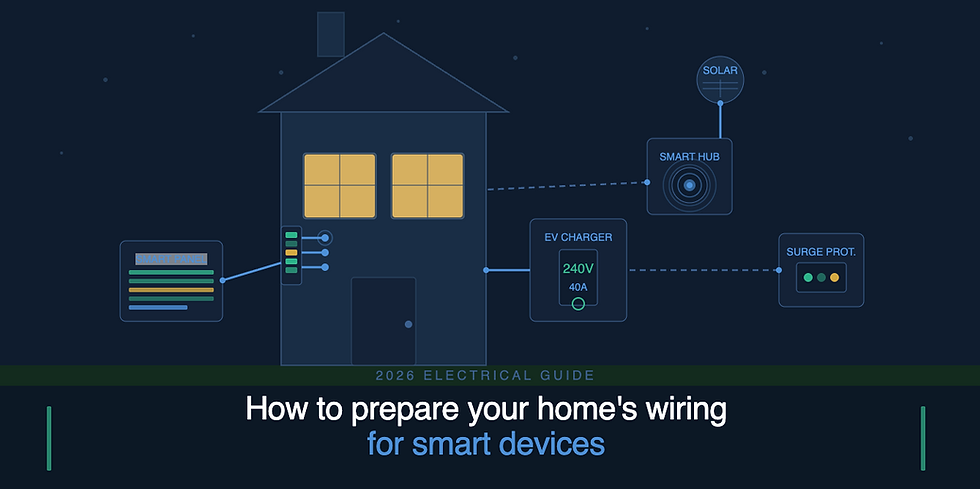
Smart home technology has never been more accessible — voice-controlled lighting, automated thermostats, video doorbells, smart plugs, and whole-home security systems are now within reach for most homeowners. But here's what the product boxes don't tell you: your home's wiring has to be ready to support all of it.
Outdated or inadequate electrical infrastructure is the number one reason smart home upgrades fail, trip breakers, or become fire hazards. Before you spend a cent on smart devices, it pays to understand what your electrical system can — and can't — handle.
This guide walks you through everything you need to know to prepare your home's wiring for smart devices safely and effectively.
Why Your Wiring Matters More Than the Devices
Most smart home devices seem simple from the outside. You plug them in or wire them to a switch, connect them to Wi-Fi, and you're done. But the reality is more complex.
Smart devices draw continuous standby power even when idle. A single smart plug, thermostat, or hub might only use a few watts, but multiply that across 20–30 devices in a modern smart home and the load adds up quickly. Add in smart EV chargers, smart ovens, or whole-home audio systems and the demand on your electrical panel becomes significant.
Beyond load, older wiring systems weren't designed with the grounding requirements that most smart switches and outlets need to function safely. A home built before the 1980s may have aluminum wiring, knob-and-tube wiring, or two-prong ungrounded outlets — none of which play nicely with modern smart technology.
Getting your wiring right before you start installing devices means fewer problems, lower risk, and a smarter home that actually works reliably.
Step 1: Start With a Wiring Assessment
Before purchasing a single smart device, have a licensed electrician inspect your home's wiring. This assessment should cover:
Panel age and capacity. Most smart homes benefit from a 200-amp service panel. Older 100-amp panels — common in homes built before the 1990s — may struggle to handle the combined load of smart appliances, EV chargers, and upgraded HVAC systems. If your panel is more than 25 years old, a panel upgrade should be your first priority.
Grounding status. Smart switches, smart outlets, and most smart hubs require a properly grounded circuit to function safely. A three-prong outlet doesn't automatically mean the circuit is grounded — in older homes, those outlets may have been installed without the proper grounding wire behind the wall. Your electrician can test each circuit and identify which outlets are truly grounded.
Wiring type and condition. Aluminum wiring (common in homes built from the mid-1960s to the mid-1970s) expands and contracts with temperature changes, creating loose connections over time. This is a fire risk on its own, and it becomes a bigger one when smart devices are added. Knob-and-tube wiring (found in homes from the early 1900s through roughly the 1940s) lacks a ground wire entirely and is rarely rated for the loads that modern smart homes require.
Circuit labelling and load balance. An old or poorly labeled electrical panel makes smart home troubleshooting a nightmare. A good electrician will identify which circuits serve which rooms and ensure loads are balanced before you start adding devices.
Step 2: Upgrade Your Panel If Needed
A panel upgrade is the single most impactful electrical improvement you can make before a smart home installation. Here's why it matters:
Modern smart homes often include devices and systems that didn't exist when most residential panels were installed — EV chargers (Level 2 chargers draw 30–50 amps alone), smart heat pump systems, smart water heaters, whole-home battery backup systems, and high-powered smart appliances.
If your panel is at or near capacity, adding these loads creates a real risk of tripped breakers, overheating, or in the worst cases, electrical fires.
A licensed electrician can upgrade your panel from 100 to 200 amps (or higher if your usage demands it) and ensure your service entrance wiring is sized to match. While you're at it, ask about a whole-home surge protector — this single addition protects every smart device in your home from voltage spikes caused by lightning, power grid fluctuations, or large appliance start-up surges.
Step 3: Address Grounding and Outlet Issues
Smart switches are one of the most popular entry points into smart home technology. But most smart switches — from brands like Lutron, Leviton, and TP-Link — require a neutral wire in the switch box. Many homes built before the 1990s used switch loops that don't have a neutral wire present.
Before buying smart switches, have your electrician check whether your existing switch boxes have a neutral wire available. If they don't, you have a few options:
Install a smart switch that doesn't require a neutral (some models exist, though they have limitations)
Run a new wire from the switch box to the nearest junction — the cleanest and most future-proof solution
Use smart bulbs instead of smart switches in rooms where rewiring isn't practical
For smart outlets, the fix is often simpler: replace ungrounded two-prong outlets with properly grounded three-prong outlets wired back to the panel. This should always be done by a licensed electrician — improvised grounding solutions are a common DIY mistake that creates serious safety hazards.
Step 4: Plan Your Network Infrastructure Alongside Your Electrical
Smart devices need power, but they also need connectivity. The two systems are more intertwined than most homeowners realise.
Wired vs. wireless smart devices. Many premium smart home systems — particularly lighting controls, security cameras, and intercom systems — perform better over wired Ethernet than Wi-Fi. Planning data cabling (Cat6 is the current standard) during any electrical work is far more affordable than running it later. If walls are open for rewiring, that's the time to run network cable too.
Dedicated circuits for hubs and routers. Your central smart home hub, router, and any network switches should ideally be on a dedicated circuit with an uninterruptible power supply (UPS). This keeps your smart home online during minor power fluctuations and ensures your security system doesn't go offline during a momentary outage.
Outdoor circuits. Smart lighting, video doorbells, security cameras, smart irrigation, and EV chargers all require outdoor-rated power points. Ensure these are on GFCI (ground fault circuit interrupter) protected circuits, which are required by code in wet locations and are a critical safety feature for any outdoor smart installation.
Step 5: Choose the Right Circuits for High-Demand Smart Devices
Not all smart devices are equal when it comes to electrical demand. Some can share a general-purpose circuit with other outlets; others need a dedicated circuit of their own.
Smart devices that typically require dedicated circuits:
Level 2 EV chargers (240V, 40–50 amp circuit)
Smart ovens and cooktops (240V, 40–50 amp circuit)
Smart heat pumps and HVAC systems (circuit size varies — check equipment specs)
Smart water heaters (240V, 30 amp circuit)
Whole-home battery backup systems (e.g., Tesla Powerwall)
Smart devices that can share general circuits (but benefit from their own):
Smart washing machines and dryers
Smart dishwashers
Home EV trickle chargers (Level 1, 120V/15 amp)
For lower-demand devices like smart bulbs, smart plugs, smart doorbells, and thermostats, sharing a standard 15 or 20-amp circuit is perfectly fine — just be mindful of total circuit load.
Step 6: Future-Proof With Conduit Where Possible
If your electrician is running new wiring for your smart home upgrade, ask about installing conduit — hollow plastic or metal tubing that houses the wires — rather than simply stapling cables inside the wall cavity.
Conduit costs a little more upfront, but it means that when technology changes (and it will), new cables can be pulled through without tearing open walls. This is especially valuable for areas where you anticipate future technology changes: home offices, entertainment rooms, garages, and outdoor areas.
Common Smart Home Wiring Mistakes to Avoid
Even well-intentioned homeowners make these errors. Avoid them:
Installing smart switches without checking for a neutral wire. The result is a switch that flickers, buzzes, or fails to work entirely. Always check wiring before purchasing.
Overloading circuits with multiple smart devices. Just because smart plugs fit into an outlet doesn't mean the circuit can handle the load. Map out what's on each circuit before adding devices.
Using smart dimmer switches with non-dimmable bulbs. This causes buzzing, flickering, and can shorten bulb life. Confirm bulb and dimmer compatibility before installing.
Skipping surge protection. A power surge can fry every smart device in your home simultaneously. A whole-home surge protector is cheap insurance.
DIY wiring of smart switches in older homes. What looks like a simple swap can involve outdated wiring configurations, absent neutral wires, or aluminum conductors that require special handling. Always consult a licensed electrician when in doubt.
When to Call a Licensed Electrician
Some smart home upgrades are genuinely plug-and-play. Swapping a standard bulb for a smart bulb, plugging in a smart speaker, or connecting a smart thermostat to an existing wire setup are tasks most homeowners can handle.
But the following always warrant a call to a licensed electrician:
Any work involving your main panel or meter board
Running new circuits or adding new outlets
Installing smart switches in older homes
Outdoor smart device installations
EV charger installation
Any work where you're unsure about the existing wiring type or condition
In New Zealand, electrical work beyond like-for-like appliance replacement must be carried out by a registered electrician and inspected by a registered electrical inspector. Unlicensed electrical work is not just dangerous — it can void your home insurance and create liability issues when you sell.
Final Thoughts: Wire First, Then Buy
The smart home upgrade journey almost always starts with excitement about devices — the sleek thermostat, the voice-controlled lights, the video doorbell. But the homes that end up with truly seamless, reliable smart systems are the ones where the electrical infrastructure was assessed and updated first.
A conversation with a licensed electrician before you start buying is the most valuable investment you can make. It prevents wasted money on incompatible devices, avoids safety hazards, and means your smart home upgrades go in cleanly and work reliably from day one.
Ready to get started?
for a home wiring assessment and we'll tell you exactly what your home needs to support the smart technology you have in mind.


Comments